
BaseMailer: The Drag-and-Drop Email Builder Airtable Users Have Been Waiting For
BaseMailer is the email builder Airtable users have been waiting for. Create, send, and track personalized emails right from your base — no code, no Zapier, no exports.
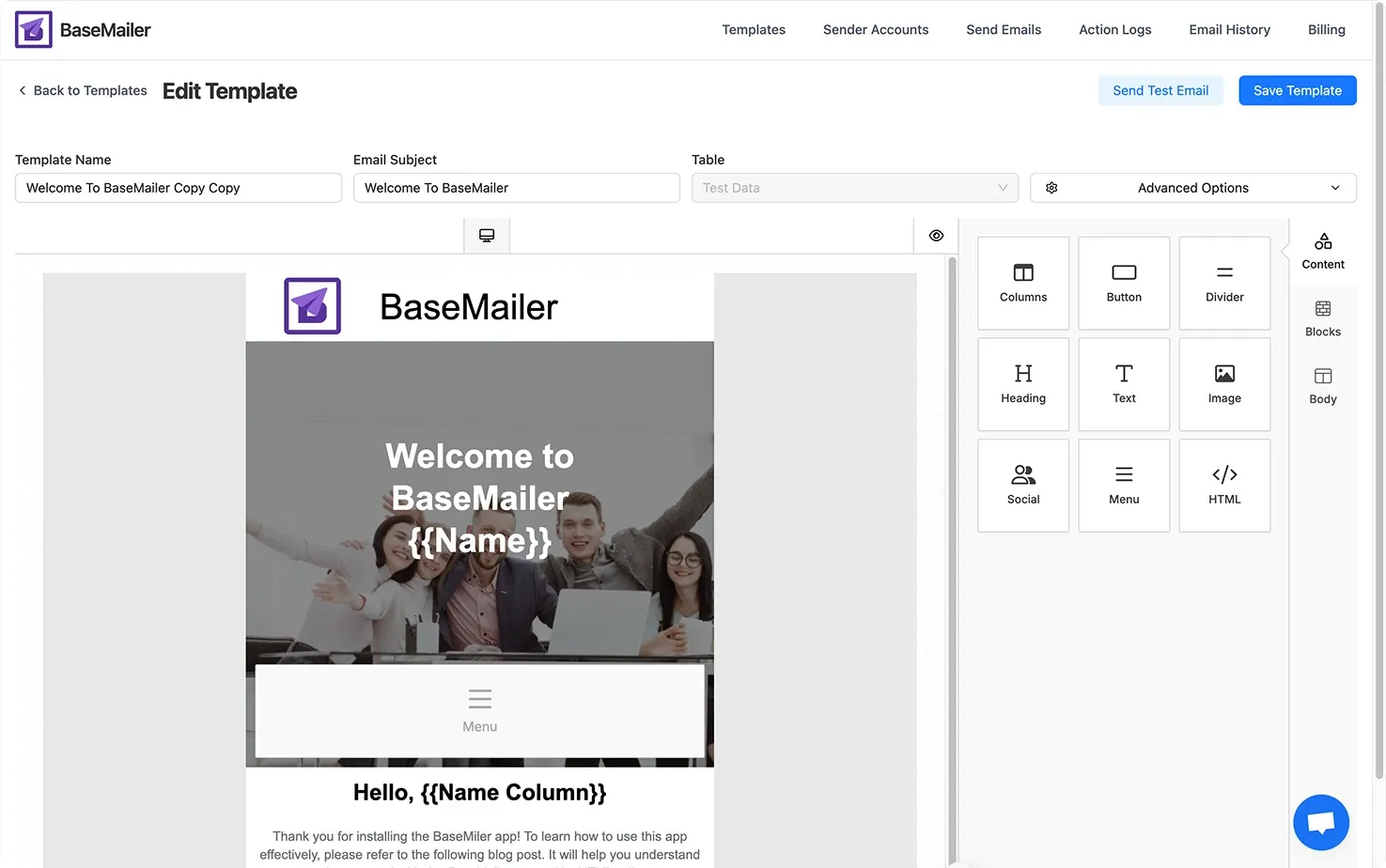
Airtable has revolutionized how teams manage projects, track customers, and organize workflows. With its flexible database structure and visual ease-of-use, it’s no surprise that Airtable is trusted by businesses of all sizes — from startups to Fortune 500s.
But when it comes to emailing directly from Airtable, users are still stuck using workarounds.
Today, we explore why Airtable needs a better drag-and-drop email builder, and how BaseMailer is here to transform your email marketing inside Airtable.
The Problem: Airtable’s Emailing Gap
If you’ve tried sending emails from Airtable, you’ve likely faced these frustrations:
- Zapier automations send plain, rigid emails — and get costly fast.
- Manual exporting to Gmail, Outlook, or Mailchimp slows down workflows.
- Airtable native email actions are basic — no rich formatting, no attachments, no tracking.
And building visually appealing, personalized emails? Practically impossible without switching tools.
For teams using Airtable as a CRM, marketing database, or sales pipeline, this gap leads to one big problem:
👉 Managing contacts is easy in Airtable.
Sending beautiful, personalized emails from Airtable is not.
Why Airtable Needs a Drag-and-Drop Email Builder
Modern users expect more than text-based emails — they want professional, branded, responsive emails that look great on any device.
A true drag-and-drop email builder for Airtable would:
- Let you design beautiful emails visually — without any coding.
- Personalize messages dynamically with Airtable fields (like First Name, Company, Deal Value).
- Attach files directly from Airtable records.
- Send bulk personalized campaigns in just a few clicks.
- Track email engagement easily, without needing separate platforms.
That’s exactly the gap BaseMailer is built to fill.
Meet BaseMailer: Drag, Drop, Send — All Inside Airtable
At BaseMailer, we believe emailing from Airtable should be as powerful — and easy — as managing your data.
Here’s what BaseMailer brings to your Airtable workspace:
- Drag-and-Drop Email BuilderCreate polished, responsive emails by dragging text, images, buttons, and files — no code needed.
- Bulk Personalized SendingSend customized messages to hundreds of contacts at once, with real Airtable field data.
- Attach Files from AirtableEasily include PDFs, proposals, invoices, or images stored in your Airtable records.
- Track Email EngagementMeasure how your emails perform with detailed open and click tracking — all inside Airtable.
- Connect Multiple Sender AccountsSend from Gmail, Outlook, or your custom SMTP — with full flexibility.
All without ever leaving Airtable.
Who is BaseMailer Perfect For?
If you’re using Airtable for any of the following, BaseMailer is made for you:
- CRM and customer outreach
- Marketing campaigns
- HR and onboarding workflows
- Sales follow-ups
- Event invitations and updates
Whether you manage 50 contacts or 5,000, BaseMailer’s drag-and-drop email builder saves you time, improves your communication, and brings powerful email marketing right inside your Airtable base.
Join Our Early Access List 🚀
BaseMailer is opening early access to a select group of Airtable users who want to:
- Build beautiful emails without coding,
- Send smarter, personalized campaigns,
- Attach Airtable files with ease,
- Track engagement — and
- Unlock an Exclusive Early Access Discount
👉 Join the Early Access List Today!
Let’s transform the way Airtable users send emails — with the power of drag, drop, and send.